Free And Open Source
100% free and open source under the GPL-3.0 license.
Knowledge Base Open Source Self Hosted
LibreKB is a free, open source knowledge base web app built on PHP and MySQL. It runs on pretty much any server, hosting account, or Docker, and installs in minutes.
01 · Features
Write articles, organize them into categories, and publish a clean, responsive knowledge base that matches your brand.
100% free and open source under the GPL-3.0 license.
Pretty much any server, hosting account, or Docker. Installs in minutes.
Easy to customize branding to match your project or business, with optional custom CSS for the public site.
Easily edit articles with TinyMCE, and choose which buttons appear on the editor toolbar.
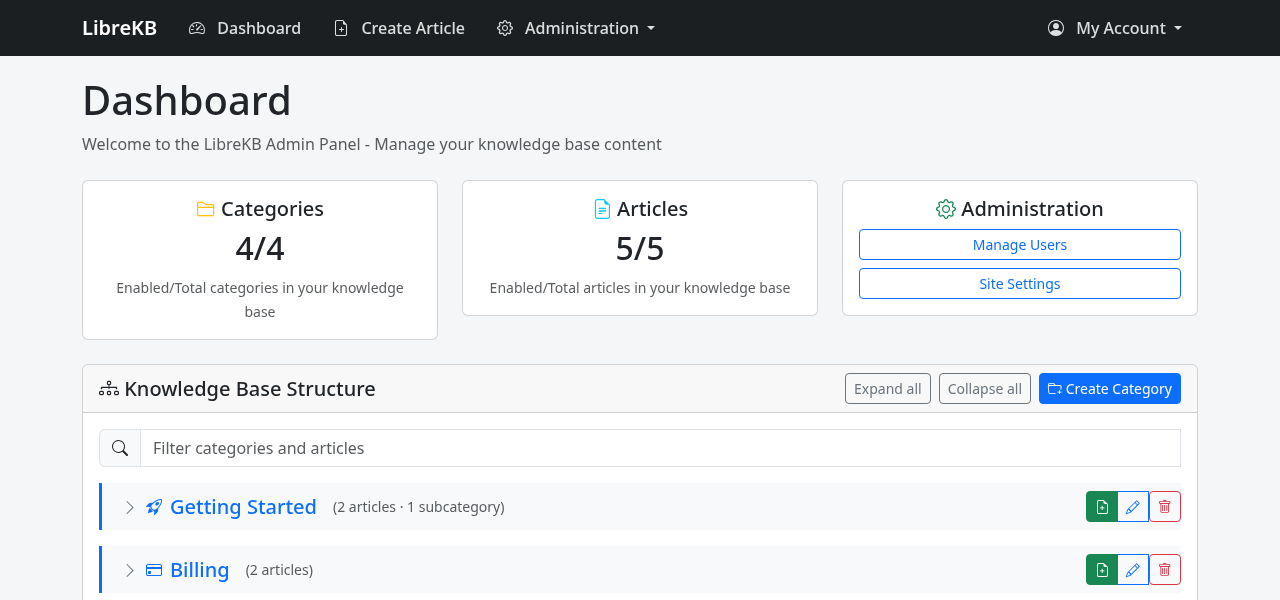
Nest categories to any depth, then collapse and filter categories and articles on the admin dashboard.
Attach files to articles for readers to download.
Manage users with predefined user groups, with password resets via email.
Site settings are grouped into General, Appearance, Editor, API, and Maintenance.
An optional API for articles and categories, plus a responsive design based on Bootstrap.
02 · Screenshots
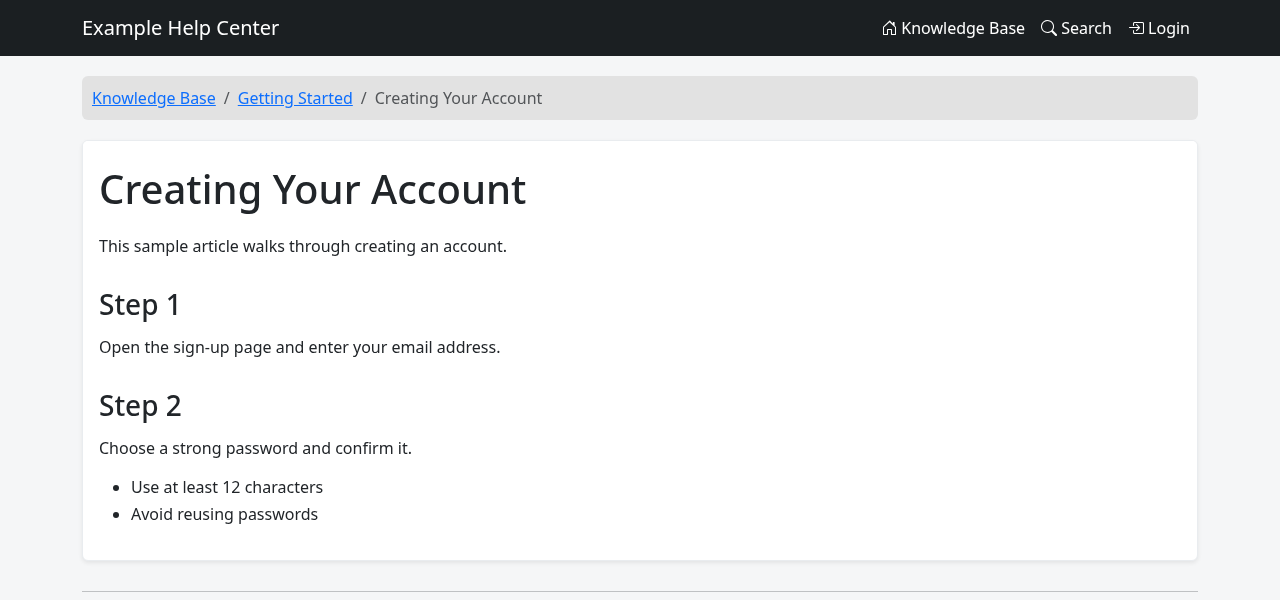
Captured from a fresh LibreKB 2.3.1 install with sample content.
03 · API
Since 2.2.0, LibreKB can expose the public knowledge base as JSON for other applications. An administrator turns it on under Settings.
X-API-Key header# Search articles
curl -s "https://kb.example.com/api/v1/articles/search?q=password&page=1&per_page=20"
# Get one article by id or slug
curl -s "https://kb.example.com/api/v1/articles/1" -H "X-API-Key: YOUR_KEY"
curl -s "https://kb.example.com/api/v1/articles/slug/reset-password" -H "X-API-Key: YOUR_KEY"
# Categories
curl -s "https://kb.example.com/api/v1/categories"
curl -s "https://kb.example.com/api/v1/categories/slug/getting-started"04 · Getting Started
.htaccess (Apache, LiteSpeed, OpenLiteSpeed, or Lighttpd). Enable pdo_mysql, curl, mbstring, and fileinfo.index.php. The included .htaccess handles rewrites.config.example.php to config.php, set the database details, and set systemURL to your public address.storage/uploads and storage/cache./install and enter the admin email and password./login. Once that user exists, /install no longer runs.The repo includes a Dockerfile and docker-compose.yml with a MySQL 8.0 service.
docker compose up -dOverwrite the files with the new release, keep your config.php, then visit /upgrade.
05 · Hosting
Need somewhere to run LibreKB? These hosts are a good fit.
Some links are affiliate links. Choosing one supports the project at no extra cost to you.
06 · Open Source
LibreKB is licensed under the GNU General Public License v3.0. Report problems and request features in GitHub Issues.